
MS Word has an excellent built-in feature for changes tracking, but sometimes it is not enough to find out what modifications were made:
- Track changes feature must be manually enabled in MS Word, and this is not always the case.
- You might need to compare an MS Word against other document formats, for example against PDF or Open Office document. Track changes won’t help in this case either.
- You need to automate comparison and reporting. Word’s macros can do a lot of automation work, but this is not what they were designed for.
- Do some basic keywords analysis. MS Word displays some statistics about the document, such as the number of words and characters, but it cannot compare it to the previous version of the document.
Let’s see how Compare Suite can help.
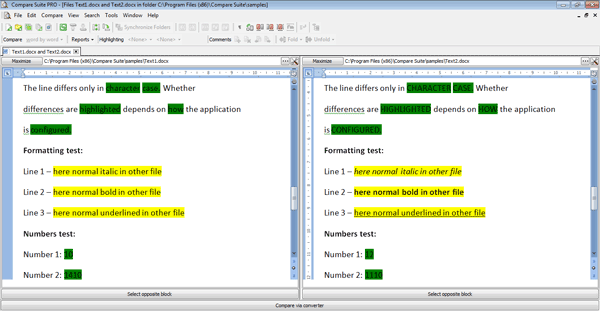
3 ways to compare Word file
Compare Suite provides 3 ways in which a user can compare two Word (as well as Excel or PowerPoint) documents:
- Compare original documents with all the formatting
- Convert documents into plain text and compares the plain text version
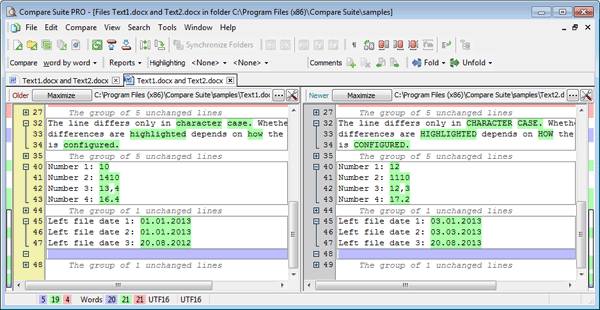
The third option is needed for the software developers only. The thing is that .docx or .xlsx file is actually an archive that includes a set of the files that determine the formatting and the content of the document. So the third way is to:
- Compare Word documents as an archive
Compare Word and PDF documents
As it was mentioned, in MS Word itself you can track the changes made to the Word document (only when track changes command was enabled). Sometimes you need to compare two different formats, let’s say a Word document against a PDF document or .txt file.
In Compare Suite you can do this: just open the file on the right panel and it will be compared with the content of Word file on the left panel.
Ignoring
There is a useful feature in MS Word when you can add to a document some text to put on the bottom of each page. For example, a page number, or date and time stamp.
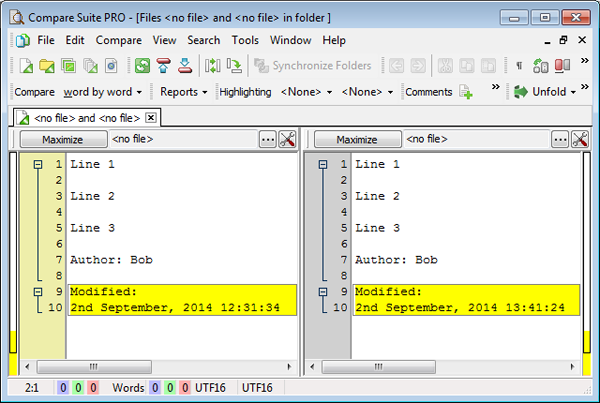
If you have two versions of the same document, then date and time stamp will be different and will be shown as a difference. To avoid this you can set up line ignoring. Read more about ignoring in Compare Suite…
Compare by keywords
MS Word provides users with a detailed statistic about the content of the Word file, e.g. the number of words, characters, etc. Sometimes it makes sense comparing this data with the data for the other file. Well, not just comparing absolute numbers, but also reviewing the list of common and unique keywords in both files.
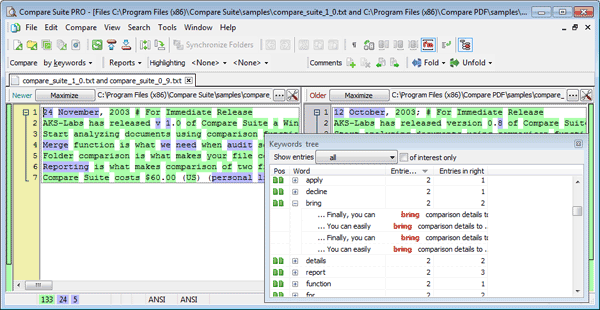
In Compare Suite, you can easily switch from “Word by word” comparison to the “By keywords” comparison that will give a lot of meaningful ideas about the keywords statistic.
Commenting in Word
In MS Word you have a commenting feature, it is for a single document only. When you compare two Word documents in Compare Suite, then you can write a comment about the changes that were found.
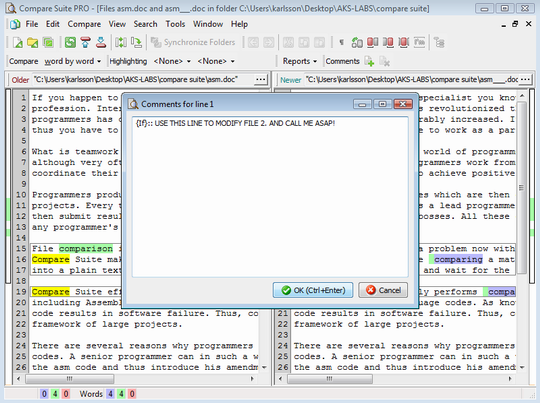
Leave comments to any line in the compared docs
This might be some idea or an insight that you want to share with your team. Use this function of Compare Suite when you compare two documents in plain text mode. Read more…
Automation
Macros available in MS Word cannot support automation of the comparison. Compare Suite can. You can pass to Compare Suite two files (they don’t have to be a pair of .doc and .doc file; they can be .doc and .pdf, or .doc and .pptx), and it will compare them. The result can be displayed in program interface or can be exported into an HTML or Word report.
OpenOffice Writer
Compare Suite supports OpenOffice formats as well. For example, if you use Writer from OpenOffice pack (an analog of MS Word), then you can match MS Word and OpenOffice Writer documents with each other.
Users about Word comparison
Here is what users say about the comparison of Word documents.
We use Compare Suite for comparing various Word, PDF, HTML documents for differences in versions. I also have a few apps that require a comparison tool to be used to tell differences between document versions. Read more…
Terry Bennett, Rusted Works Org., Canada
We use Compare Suite for comparing of Microsoft Word documents and Adobe PDF files like contracts, commercial proposals, etc. Read more…
Joao Schlemm, Brasil.
Have you tried comparison Word files in Compare Suite? Feel free to share your experience in the comments.



















 Compare documents to find differences regardless of the format:
 Use the
  Archive comparison:
  Compare


 Compare files
 UNICODE is fully supported: open and compare documents in any language or encoding.
 Create a fully customizable

Leave a Reply
You must be logged in to post a comment.